
AI guidance for websites with more than one path
VisitorPilot helps people find trusted answers, choose the right next step, and move through complex websites with less friction. It works across public websites, customer portals, event sites, campus experiences, and internal systems.
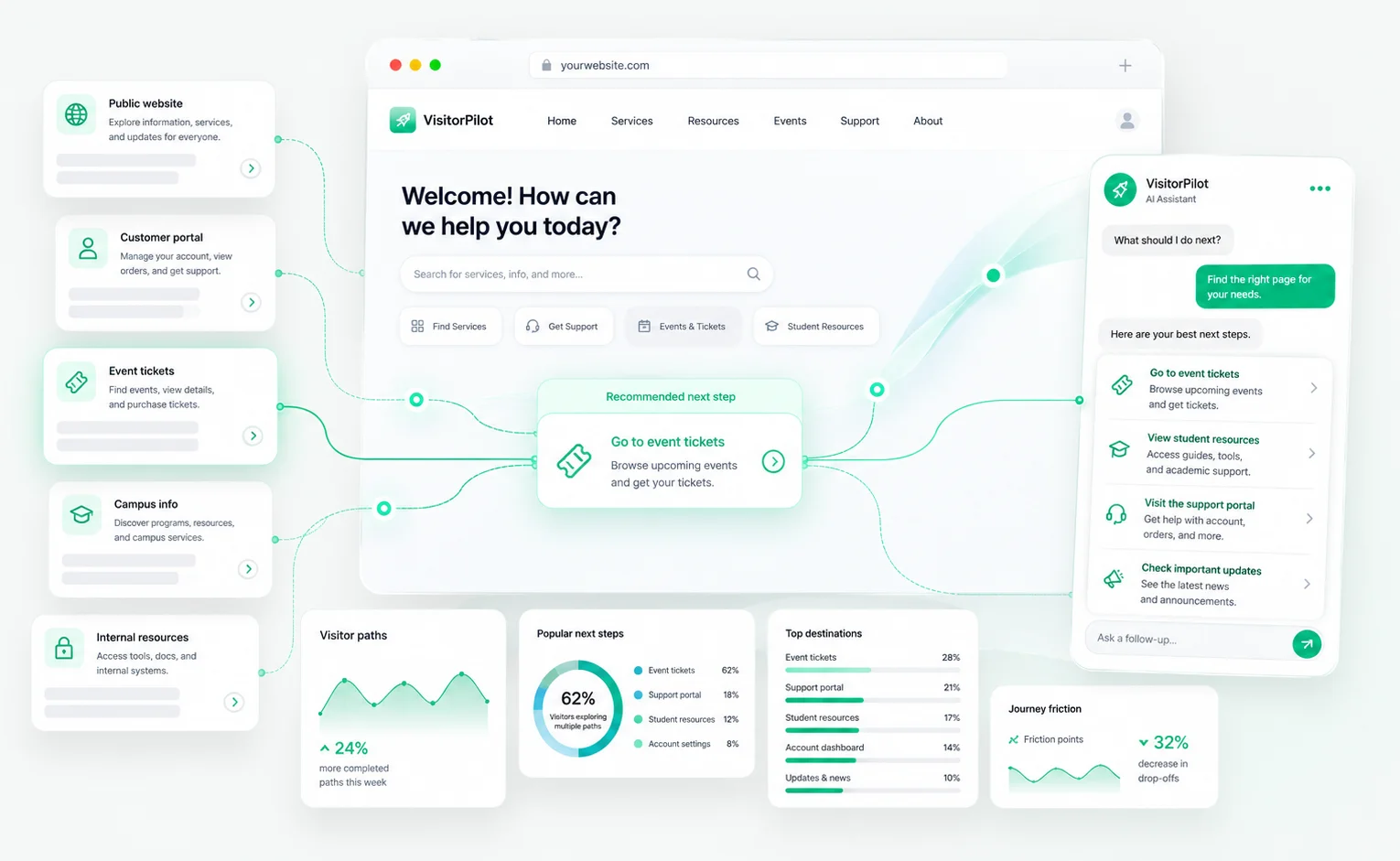
Why It Works
One assistant. Many visitor journeys.
Different audiences ask different questions. VisitorPilot helps each person find the right answer, while giving your team clearer insight into what visitors need most.
Find answers faster
Help visitors get trusted answers from approved content instead of digging through menus, PDFs, and support pages.
Guide the next step
Point people toward the right page, form, contact option, resource, ticket, program, or support path.
Keep guidance controlled
Ground answers in your trusted website content, documents, FAQs, and resources.
Learn what to improve
See common questions, content gaps, and next-step patterns so your team can keep improving the experience.
Use Cases
Built for complex websites and mixed audiences
Use VisitorPilot anywhere visitors need fast answers, clearer direction, and a better way to move from question to action.
Higher Education
Help students and families find answers faster
Guide prospective students, parents, alumni, and campus visitors to the right admissions, academic, financial aid, and campus information without forcing them to search across dozens of pages.
Common questions
- What programs do you offer?
- How do I schedule a campus visit?
- When is the application deadline?
- Where can I find financial aid information?
What improves
- Clearer admissions paths
- Better program discovery
- Fewer repetitive staff questions
- Improved visibility into student intent
Events and Venues
Answer visitor questions before they contact staff
Help guests quickly find information about tickets, parking, schedules, accessibility, policies, directions, seating, food, and event details before they need to call or email.
Common questions
- Where do I park?
- What time do gates open?
- Can I bring food or bags?
- Where can I buy tickets?
What improves
- Faster guest support
- Better event readiness
- Clearer ticketing paths
- More useful visitor insights
B2B and Enterprise Websites
Guide prospects through complex product and service content
Help customers, partners, and sales prospects find the right products, services, documentation, resources, support content, and contact paths across large or technical websites.
Common questions
- Which solution fits my use case?
- Where can I find product specs?
- How do I contact sales?
- Do you integrate with our platform?
What improves
- Stronger product discovery
- Better qualified journeys
- Clearer sales handoffs
- More useful content gap reporting
Internal Portals and Intranets
Make internal information easier for teams to find
Give employees a faster way to find policies, forms, HR resources, IT support, department updates, announcements, and internal documentation across complex portals or intranets.
Common questions
- Where is the PTO policy?
- How do I submit an IT request?
- Where are HR forms located?
- Who owns this process?
What improves
- Less internal search friction
- Fewer repetitive support requests
- Better employee self-service
- Clearer content ownership signals
Common Setup Pattern
Start with one high-value journey, then expand
The best rollout usually starts with one domain and one priority experience. That could be admissions questions, event details, product discovery, support resources, or employee self-service.
Once the assistant is live, your team can review real questions, identify patterns, and expand VisitorPilot across more pages, content sources, and visitor paths.
Approved content
Connect trusted pages, resources, FAQs, documents, and policies.
Real questions
Understand what visitors ask and what they need help finding.
Guided actions
Send visitors to the right pages, forms, contact paths, or resources.
Useful insights
Find gaps, patterns, and improvements based on visitor behavior.
Make every path on your website easier to follow
Start with one domain, one priority journey, and a guided AI assistant built around the content your organization already trusts.